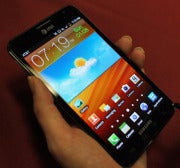
The Samsung Galaxy Note ($300 with a two-year contract; price as of February 14, 2012) has been out for a while internationally, but on February 19, the 5.3-inch phone with a stylus-like pen will arrive on U.S. shores exclusively on AT&T’s 4G LTE network. After Galaxy Note commercials appeared during the Super Bowl, Twitter users joked that it resembled a Palm Pilot. The Galaxy Note might have a pen, but it is far from the capacitive PDAs of yore. The Note’s “S Pen” works quite well with the user interface, but I wished that the device had more apps to use the pen with.
Tablet, Phone, or 'Phablet'?
The Galaxy Note’s 5.3-inch display puts the Note in an interesting spot between a phone and a tablet. According to Samsung, an unlocked version of the Note won't be available in the United States, which puts the device more in the "subsidized phone with contract" category.
I have to say, however, that it feels a little silly to hold something of this size up to your face and make a phone call. It is light enough, but I found it a bit too wide for my hands, feeling uncomfortable and unwieldy at times. The Galaxy Note measures 5.78 by 3.27 by 0.38 inches, and weighs 6.28 ounces.
The Note has the typical touch-sensitive navigation buttons below the display (Menu, Home, Back, Search), plus a volume rocker and a power button. On the bottom of the Note, you’ll find the slot for the S Pen (which I’ll cover soon).
The Note’s aesthetic is pretty similar to that of the Samsung Galaxy S II phones (though larger), with a rectangular shape, a piano-black bezel, chrome piping, and a textured “carbon blue” battery cover.
HD Super AMOLED Display
The Galaxy Note’s 5.3-inch display has a 1280-by-800-pixel resolution. The technology is HD Super AMOLED, not to be confused with Super AMOLED Plus, which we saw on the Samsung Galaxy S II line of phones. This is the same display technology as on the
Samsung Galaxy Nexus. As I noted in my review of the Galaxy Nexus, HD Super AMOLED is based on the PenTile pixel structure, in which pixels share subpixels. Galaxy S II phones, on the other hand, have full RGB displays, in which the pixels each have their own subpixels. In comparison with Super AMOLED Plus displays, HD Super AMOLED displays supposedly have a lower overall subpixel density, reduced sharpness, and degraded color accuracy.
When I reviewed the Galaxy Nexus, I noted that I couldn’t really see a difference between the two different display types in terms of sharpness. The Galaxy Note also handled image and text rendering well, producing sharp, clear text and details on both Web pages and high-resolution images. I noticed a touch of degradation on higher-resolution images, particularly when I zoomed in, but the image quality definitely looked better than on some other phone and tablets we’ve seen.
The main problem I have with the display is that the colors are oversaturated. Additionally, skin tones look ruddy, and whites have a slight yellowish tint. This is a common problem among AMOLED displays, Samsung-made or not. Still, oversaturation isn’t always a bad thing: Colors on the Note look rich and bright, while blacks are deep.
Using the S Pen

The Galaxy Note includes a Wacom-made “S Pen” for note-taking and drawing. And as I mentioned earlier, the S Pen is a far cry from the old styluses you might remember. Wacom pens recognize both right-handed and left-handed users, and the S Pen also mimics the act of physically taking notes: The harder you press the pen on the Note, the thicker and bolder your lines will be.
The Note runs the latest version of Android 2.3.6 Gingerbread, with a version of TouchWiz that's similar to the one on the Galaxy S II line of phones. As you might expect, the Galaxy Note also has built-in software and special gestures for the pen.
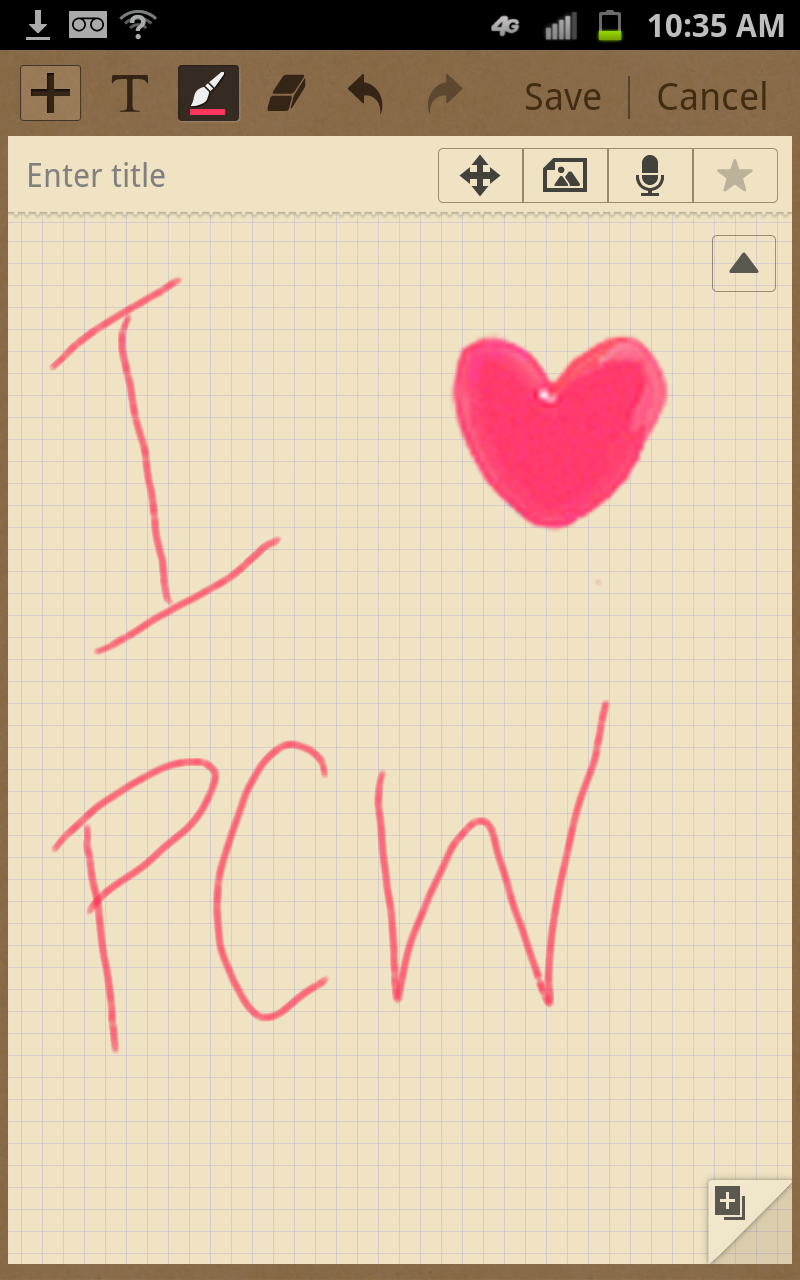
One handy app, called S Memo Lite, lets you jot down notes from pretty much anywhere in the phone. To pull up the S Memo Lite app, you hold down the button on the pen, and double tap on the display. If you have another app open, the notepad appears on top of it, allowing you to switch back to it easily.
A fuller version of S Memo is accessible from the apps menu. In this app, you can add color to your drawing or text, or insert pictures (either via your gallery or from the provided clip art) and shapes.
You can also take screenshots, simply by pressing and holding the pen to whatever item you want to capture. Your shot then opens in a simple photo-editing app that lets you crop the screenshot in either lasso or rectangle mode.


Writing on the Galaxy Note takes some getting used to. At first, I was appalled at how horrible my handwriting looked. Once I got the hang of using the pen, though, I started to enjoy it. As somebody who is constantly doodling and prefers writing down notes to typing them, I liked being able to jot down ideas or reminders. The keyboard has a pen mode, which will convert your handwriting into text. I thought it did a pretty good job of recognizing my handwriting, though it misinterpreted what I was trying to write a few times.
Pen gestures involve a learning curve, as well. To go “back,” you hold down the pen’s button and swipe to the left. To go to the home screen, you drag the pen from top to bottom while pressing the pen button. And if you want to open Menus, you swipe from bottom to top while pressing the button. Once you get accustomed to relying on the pen rather than on the hardware buttons, navigating the Note is a breeze. You can, of course, use the hardware buttons at any time if you don’t like the pen gestures.
If the S Pen feels too wimpy (or gives you horrible flashbacks of your capacitive-touch Windows Mobile phone), you can invest in the S Pen Holder Kit (sold separately). The accessory is basically a standard writing-pen shell for the S Pen, complete with a pocket clip.
Pen-Friendly Apps and Other Software
The selection of pen-friendly apps feels a bit anemic. Samsung says that the SDK for the Galaxy Note and S Pen will be available to developers soon (though the company doesn’t specify when). I see a lot of potential for creative programs and productivity apps, as well as games that incorporate the S Pen (think Nintendo DS-style games).

Right now, the included apps that support pen mode are Polaris Office, S Memo, and a game called Crayon Physics. Polaris Office lets you create documents, spreadsheets, and slideshow presentations. You can insert drawings or screenshots in a presentation, or use the pen to insert text. Crayon Physics is a cute game in which you draw objects to move a ball from point A to point B.
This version of Samsung’s TouchWiz interface has a few interesting features, including resizable widgets for the home screen and a revamped calendar app. The calendar app takes advantage of the larger display, presenting a tabbed interface that lets you view the whole year, a week, a month, three days, a day, or the like.
You'll find quite a few AT&T- and Samsung-added apps, too, such as AT&T’s Live TV, AT&T Navigator, YPMobile, Samsung Media Hub, and more. You can remove some of these apps, however, by pressing the Menu key and selecting Edit (see the screenshot).
Performance
The U.S. Galaxy Note is powered by a 1.5GHz dual-core Qualcomm processor. (The European version, on the other hand, has a 1.4GHz dual-core Samsung Exynos processor.) I tested a few graphics-heavy games on the Note, including Osmos HD and World of Goo. Both ran smoothly without any glitches, and looked terrific on the Note’s large display. Video also ran flawlessly, without any issues.
I ran the Vellamo benchmarking app on the Note to test its graphics and browser performance. We take these scores with a grain of salt, since the app is made by Qualcomm and the Galaxy Note has a Qualcomm processor. Surprisingly, the Note didn’t do that well, with a score of 773; that benchmark puts the Note behind both the
Motorola Droid Razr (1040) and the Galaxy Nexus (803).
I also ran the FCC-approved Ookla app to test the Galaxy Note’s data speeds over AT&T LTE in San Francisco. In my neighborhood, I got an average download speed of 24.64 megabits per second, and an average upload speed of 8.78 mbps. Those are ridiculously fast speeds, and I could see the power of AT&T's LTE when downloading apps (which took seconds), browsing the Web, and watching streaming video.
Call quality was good over AT&T’s network. My friends on the other end of the line reported that my voice sounded clear and natural. I couldn’t detect any distortion or static in my friends’ voices, though a few sounded slightly distant.
We haven’t yet formally tested battery life, but the Galaxy Note lasted a full day of heavy testing before I had to plug it in again. We’ll update this section once we run our battery tests.
Camera

The 8-megapixel camera snapped good pictures, indoors and out. The colors in my indoor and outdoor photos looked accurate, while details appeared sharp. Honestly, though, the phone’s dimensions make it a little awkward to use as a camera. Have you ever tried shooting a photo with a tablet? It just feels strange.

The Galaxy Note can capture HD video in up to 1080p resolution. The device also has a front-facing 2-megapixel camera for making video calls or taking self-portraits.
Bottom Line
As somebody who is reluctant to hop on the tablet train, the Galaxy Note’s size is ideal to me. I like being able to whip the Note out to jot down ideas, and I love being able to doodle during a meeting or while riding the bus. To me, this is a perfectly sized tablet. But a perfectly sized phone? I’m not so sure. I wish Samsung sold a Wi-Fi-only, carrier-free version in addition to the subsidized AT&T version with LTE. I see it more as a secondary device--something I take to work, but not out to dinner or to the beach. Overall, the Galaxy Note works well with the S Pen, and I am excited to see more pen-supported apps. Right now, the selection feels a bit limited.